
PACS query and import
Query and download images using DICOMweb or traditional DICOM (DIMSE).
On this page
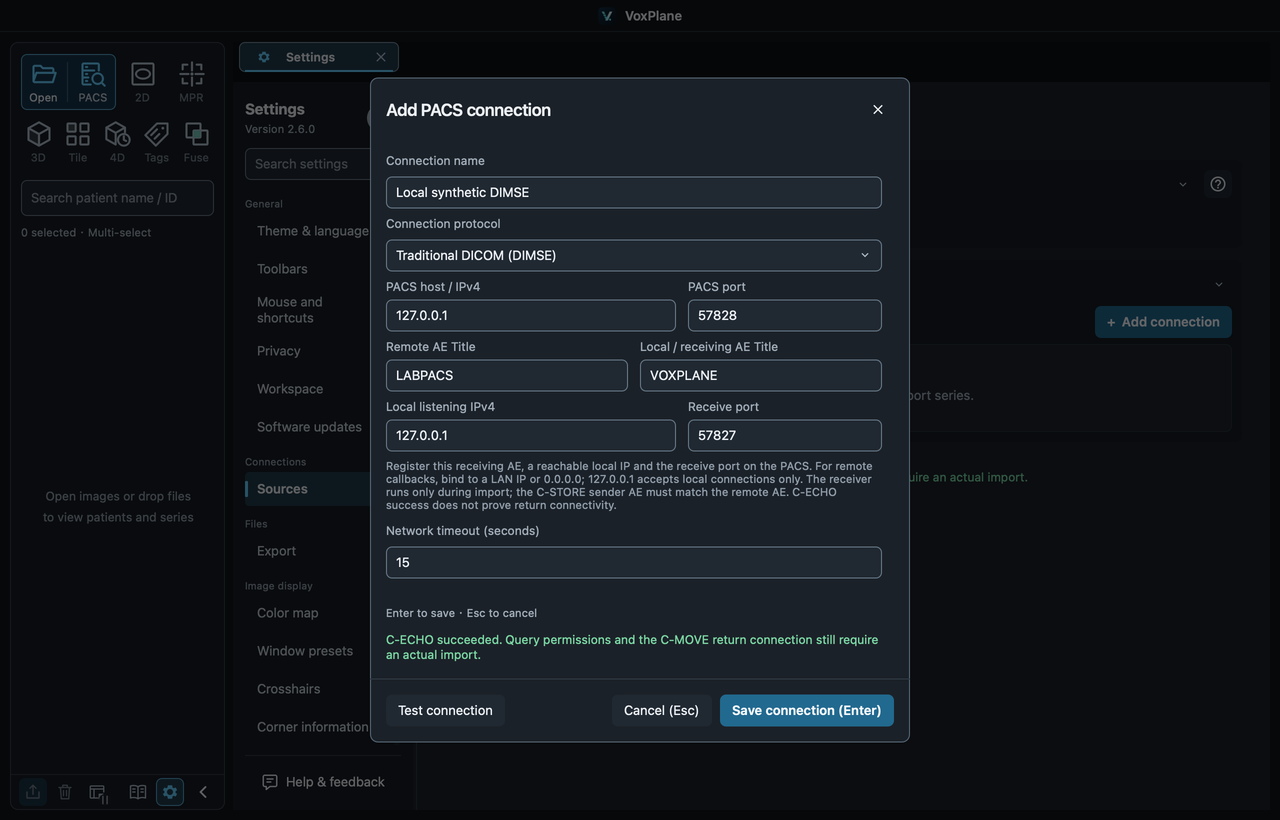
1. Choose a connection protocol
Open Settings → Sources → Add connection and enter a recognizable connection name. Choose the protocol provided by your PACS administrator.
DICOMweb: enter the HTTP(S) root URL and authentication details. Do not append /studies.
Traditional DICOM (DIMSE): enter the PACS host, port and remote AE Title, then configure the return route described below.
Select Test connection, then Save. Passwords and tokens remain in the current session only; enter them again after restarting.
Important
Traditional DICOM: configure the return route first
Ask the administrator for the PACS host, port and remote AE Title. They must also register your local/receiver AE Title, reachable local IP and receiver port on the PACS. The receiver AE and port in VoxPlane must match that registration.
Local listening IPv4 selects the interface that accepts incoming images: use your LAN IP for a remote PACS, or 0.0.0.0 to listen on all local IPv4 interfaces. Do not register `0.0.0.0` as the PACS destination IP. 127.0.0.1 is only suitable when the PACS and viewer run on the same machine.
A successful C-ECHO test does not prove that retrieval works. Save the profile, query and import a small series to verify the return address, port and network permissions.
2. Query studies
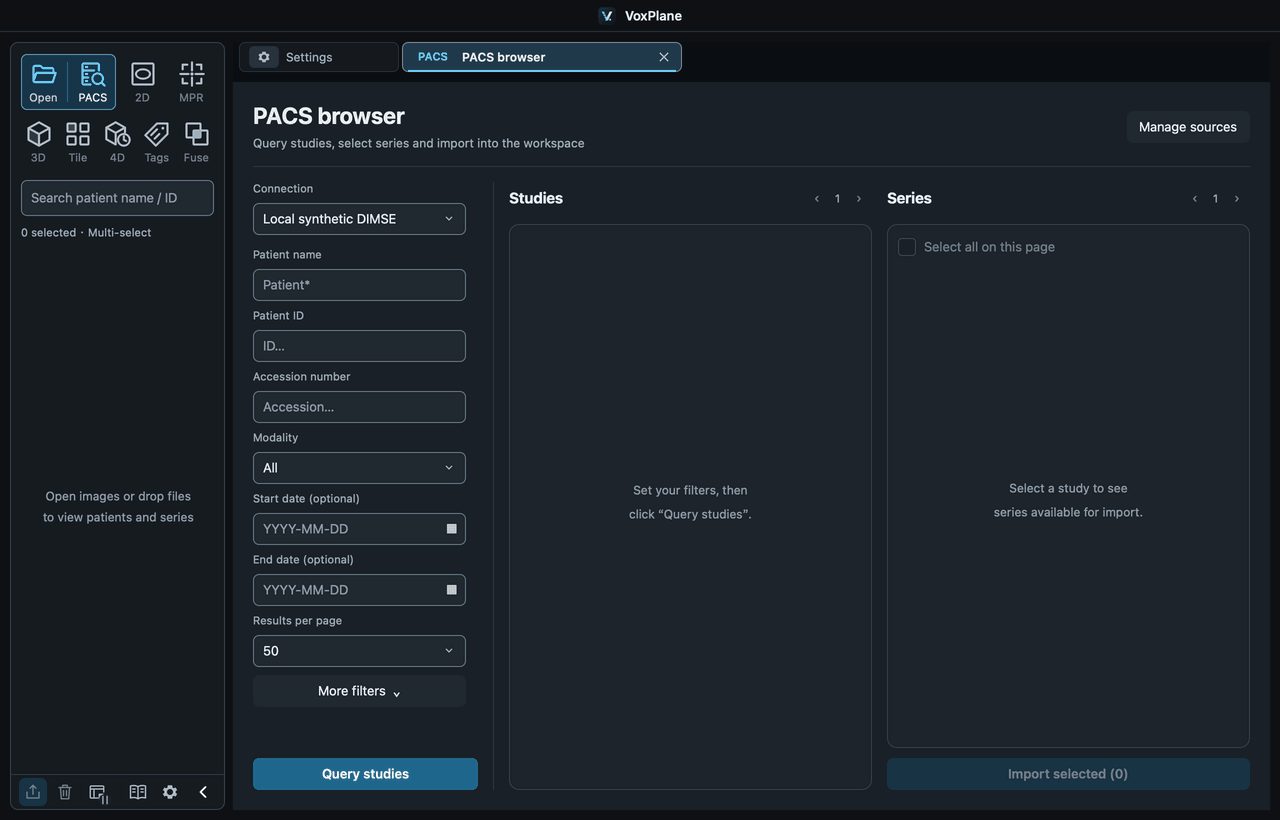
Select PACS on the left and choose a saved connection. Enter patient name, ID, accession number, modality or dates, then select Query studies. Leave dates empty when no date restriction is needed; use YYYY-MM-DD when entering dates.
Select a study to display its series on the right. The study and series lists have separate paging controls.
3. Import series
Select the series → Import selected → wait for completion. All selected series must finish downloading and pass validation before they appear in the left list. The first opens in 2D; use MPR, 3D or other supported views afterwards.
You can cancel an import. Failed or cancelled imports do not add incomplete results to the workspace. Correct the connection and query or import again. Changing the study, page or connection clears the previous selection.
Connection failed
Connection test fails: check the PACS host/URL, port, authentication or remote AE Title.
Test succeeds but querying fails: check query permissions and protocol settings.
Queries work but DIMSE retrieval fails: check the receiver AE, IP and port registered on the PACS, firewall rules and port conflicts. This version requires the storage sender AE to match the configured remote AE.
DIMSE supports C-FIND queries, C-MOVE retrieval and temporary C-STORE reception during import. It does not support C-GET, uploading to PACS or an always-on receiver. It currently uses plain TCP; use a trusted network or protected channel.