
Arrows and text arrows
Point out image locations with arrows and labels.
On this page
CopyWindows Ctrl+CmacOS ⌘CPasteWindows Ctrl+VmacOS ⌘VCancelWindows EscmacOS EscDeleteWindows Delete / BackspacemacOS ⌫
Draw
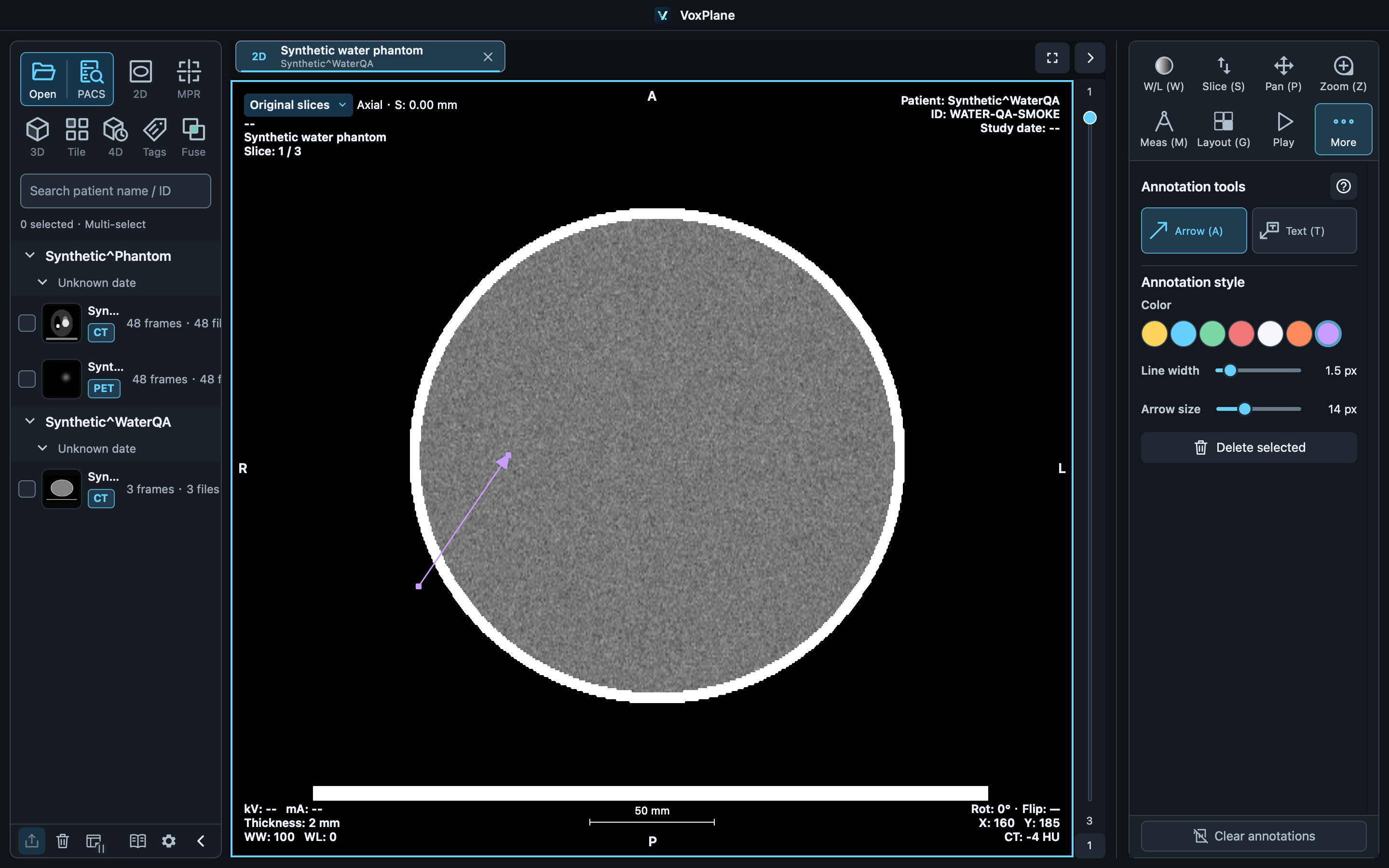
Select Annotate → Arrow / Text arrow, then press to confirm tail → tip. The second valid press completes the arrow immediately; movement only previews it. Esc cancels the draft. Enter text in the right panel; select an existing text arrow to edit its text.
Adjust
Drag endpoints to change direction, or drag the object to move it. Adjust color, line width and arrow size in the panel; text arrows also have a font size.
Keep results
Selected objects support copy, paste, delete and undo. Completed annotations save in workspaces. PNG and measurement reports use their respective anonymization options.